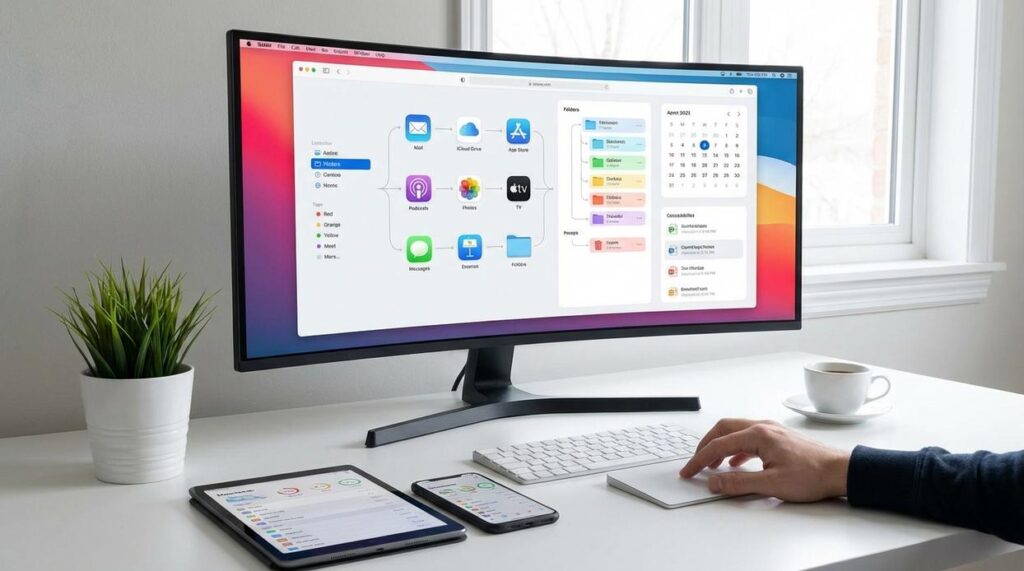
If your inbox is overflowing, your desktop is buried in random files, and your notifications never seem to stop, you’re not alone. Digital clutter doesn’t just look messy—it drains your focus, increases stress, and can even create security risks. This digital declutter guide is a practical, step-by-step blueprint to help you regain control of every corner of your digital world. From organizing emails and streamlining files to building simple systems that last, you’ll learn how to clear the chaos quickly and effectively. Start today, reclaim your time, boost productivity, and create a calmer, more streamlined digital environment.
Step 1: The Digital Triage – Your Central Command Center
First things first, you need a single home base. Choose one primary cloud service—Google Drive, Dropbox, or OneDrive work well—and commit to it as your “Digital Hub.” Think of it as mission control for your files (because hunting through five apps for one PDF is nobody’s idea of fun). This hub becomes your single source of truth, meaning the one trusted location where the most current versions live.
Next, consolidate your data. Set aside focused time to migrate important documents from old laptops, external drives, and scattered cloud accounts. Yes, it’s tedious—but it’s the backbone of any solid digital declutter guide. Without consolidation, clutter simply multiplies.
Finally, create a folder labeled “To Sort” or “Inbox.” From now on, every new download lands there first. This small habit prevents chaos from creeping back in—and makes organizing feel manageable instead of overwhelming.
Step 2: Taming the Email Beast – The Two-Folder Method
Let’s make this SIMPLE. You do not need color-coded labels, nested folders, or a system that requires a training manual. You need action.
Create exactly two folders: 1 – Action and 2 – Archive. That’s it.
Here’s what I recommend: every time an email lands, decide immediately. Does it require a reply or task? Move it to Action. Is it reference material, a receipt, or something you may need later? Move it to Archive. Junk? DELETE IT or unsubscribe on the spot. No hesitation.
If you’re serious about reducing clutter, schedule a 20-minute UNSUBSCRIBE BLITZ. Use a free tool like Unroll.Me or manually remove yourself from newsletters you never read (be honest with yourself). This single step prevents hundreds of future distractions.
Next, automate. Set up basic filters so receipts, shipping confirmations, and notifications skip your inbox and go straight to Archive. Most email providers offer simple rule builders.
Some people argue more folders mean more control. In reality, complexity creates avoidance. Fewer choices mean faster decisions.
Follow this method consistently and your inbox becomes manageable—no overwhelm, no chaos. If you need structure, pair this with a solid digital declutter guide and commit to DAILY maintenance.
Step 3: A Foolproof System for Files and Photos
Clutter isn’t just physical—it’s digital. A 2023 report by IDC found that the average knowledge worker spends nearly 2.5 hours per day searching for information (IDC, 2023). That’s over 600 hours a year lost to messy folders and vague file names. A simple system fixes that.
1. Implement a Simple Folder Structure
Start broad. Create top-level folders like:
- Work
- Personal
- Finance
- Projects
Think of these as your digital filing cabinets. If you wouldn’t toss tax returns into a kitchen drawer, don’t dump them in “Misc.” either.
2. The Power of Chronology
Inside each main folder, organize by year: 2024, 2025, and so on. Within each year, label folders clearly: “2024-08 Vacation” or “2024-10 Project Alpha.”
Why does this work? Chronological labeling aligns with how our brains recall events—by time and context (Harvard Business Review, 2020). When everything follows the same pattern, retrieval becomes automatic.
3. Consistent File Naming
Use this formula: YYYY-MM-DD – Description – Version
Example: 2024-09-15 – Marketing Budget – v2.pdf
Files instantly sort by date and remain searchable. (No more “finalFINAL3revised.”)
4. Photo Management Hack
Use Google Photos for backup and AI search, but store high-resolution originals in your structured archive. Apply the same year-event system.
If you’ve tackled physical spaces before—like learning how to organize your closet for maximum efficiency—you already understand the power of categories and consistency. Apply that mindset here.
For a deeper reset, follow a digital declutter guide and commit to maintaining this structure weekly. Pro tip: Schedule a 15-minute Friday “file reset” to keep chaos from creeping back.
Step 4: The App and Subscription Audit
Now that you’ve cleared physical clutter, it’s time for the digital kind (the stuff silently draining your focus and your wallet).
First, try the One-In, One-Out Rule. Download a new app? Delete one you haven’t used in 30 days. App-hoarder vs. app-curator—it’s your choice. One leads to endless scrolling; the other keeps your phone lean and intentional.
Next, organize your homescreen. Random layout vs. themed folders like “Finance,” “Travel,” and “Work.” The difference is night and day. Keep only your top 5–8 daily apps front and center. Everything else? Tucked away, not screaming for attention (your phone shouldn’t look like Times Square).
Finally, hunt down zombie subscriptions. Subscription tracking apps like Rocket Money or Truebill automate this, while manual bank reviews give you full control. Convenience vs. control—both work. Just cancel what you don’t use.
For a deeper reset, follow a digital declutter guide and make this a quarterly habit.
Step 5: Securing Your Simplified Life
First, use a password manager to boost security without mental clutter. A password manager (an encrypted vault that stores and autofills logins) securely, like 1Password or Bitwarden keeps logins together. You remember one master password, and it handles the rest—like a digital declutter guide.
Maintaining Your Newfound Digital Zen
You came here looking for a way out of digital overwhelm—and now you have a clear, repeatable system to manage your email, files, and apps without slipping back into chaos. The real relief doesn’t come from a one-time purge. It comes from simple habits that keep the clutter from creeping back in.
This is why the framework in this digital declutter guide works: it’s practical, sustainable, and built for real life—not perfection.
If you’re tired of feeling stressed every time you open your inbox, take the next step now. Schedule a 15-minute “Digital Tidy-Up” every Friday and protect your peace for good.
 Founder & CEO
Thalira Norvessa is the kind of writer who genuinely cannot publish something without checking it twice. Maybe three times. They came to daily digest through years of hands-on work rather than theory, which means the things they writes about — Daily Digest, Wuta DIY Renovation Techniques, Lifestyle Organization Strategies, among other areas — are things they has actually tested, questioned, and revised opinions on more than once.
That shows in the work. Thalira's pieces tend to go a level deeper than most. Not in a way that becomes unreadable, but in a way that makes you realize you'd been missing something important. They has a habit of finding the detail that everybody else glosses over and making it the center of the story — which sounds simple, but takes a rare combination of curiosity and patience to pull off consistently. The writing never feels rushed. It feels like someone who sat with the subject long enough to actually understand it.
Outside of specific topics, what Thalira cares about most is whether the reader walks away with something useful. Not impressed. Not entertained. Useful. That's a harder bar to clear than it sounds, and they clears it more often than not — which is why readers tend to remember Thalira's articles long after they've forgotten the headline.
Founder & CEO
Thalira Norvessa is the kind of writer who genuinely cannot publish something without checking it twice. Maybe three times. They came to daily digest through years of hands-on work rather than theory, which means the things they writes about — Daily Digest, Wuta DIY Renovation Techniques, Lifestyle Organization Strategies, among other areas — are things they has actually tested, questioned, and revised opinions on more than once.
That shows in the work. Thalira's pieces tend to go a level deeper than most. Not in a way that becomes unreadable, but in a way that makes you realize you'd been missing something important. They has a habit of finding the detail that everybody else glosses over and making it the center of the story — which sounds simple, but takes a rare combination of curiosity and patience to pull off consistently. The writing never feels rushed. It feels like someone who sat with the subject long enough to actually understand it.
Outside of specific topics, what Thalira cares about most is whether the reader walks away with something useful. Not impressed. Not entertained. Useful. That's a harder bar to clear than it sounds, and they clears it more often than not — which is why readers tend to remember Thalira's articles long after they've forgotten the headline.